In this article
Find related articles at the bottom of this page
The Stock Sales Matrix by Colour reports on a given style, by colour, so you can easily identify the quantities sold for a style, colour, and size at each Store - as well as review the total sales information for each month.
This report is recommended for reporting on an entire Style Code sales, instead of viewing sales for each individual products colour and size.
In this article:
Required Product Configuration
For a product to be grouped by Style Code (and appear on this report correctly) all products must meet the following rules:
- Attributes must match for all products:
- Manufacturer SKU/Style Code must match for all products e.g. shoe123, shirtxyz
- Brand
- Supplier Code
- An attribute must be selected for each product (they don't need to match)
- Size - if Size is not applicable to your products, create a Size called N/A and assign it to each of your products
- Colour - if Colour is not applicable to your products, create a Colour called N/A and assign it to each of your products
Note: for more information about grouping your by products by Style Code, please refer to the Grouping Products article
Running Stock Sales Matrix by Colour
To use the Stock Sales Matrix by Colour:
- Navigate to Reports > Product Performance > Stock Sales Matrix by Colour
- Update the Filters as requiredTip: You can enter a partial description to return results e.g. typing "shift" will display all shift dresses
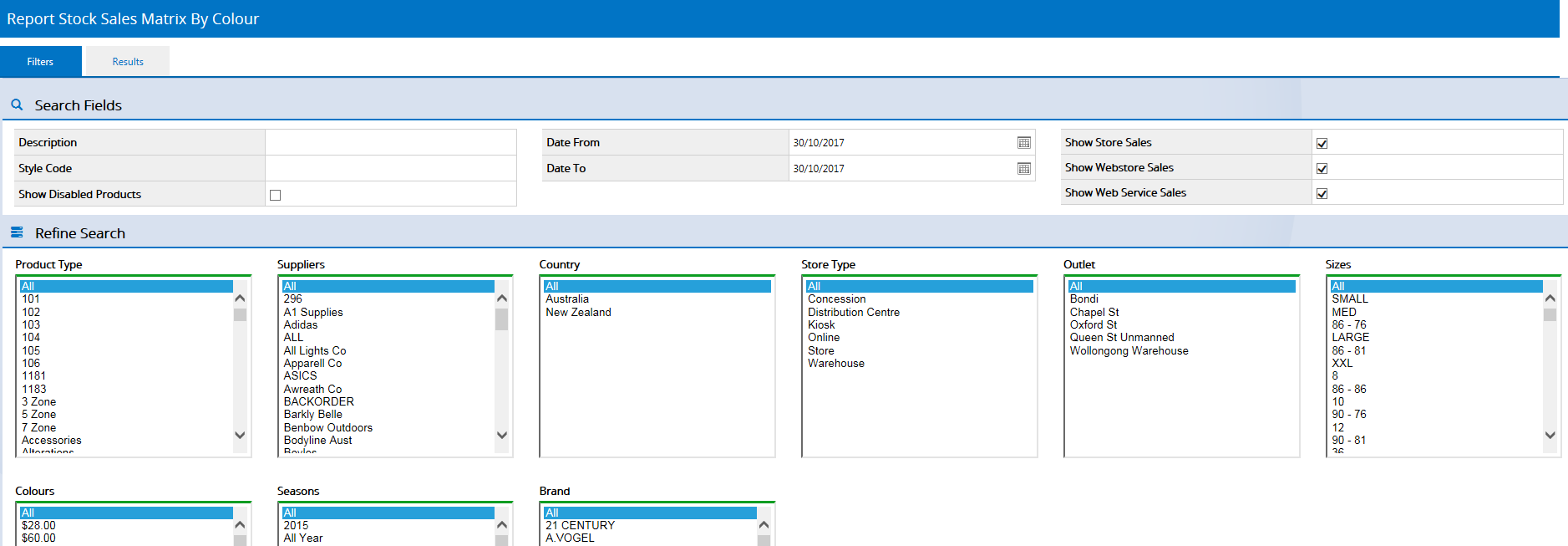 Click to view full size
 - Click Search
- Results are displayed grouped by Style Code, with colour variants available as tabs across the top of each grid, and the sizes as column headings
Click on a Colour heading to view the details on that colour, including the units sold for the past 12 months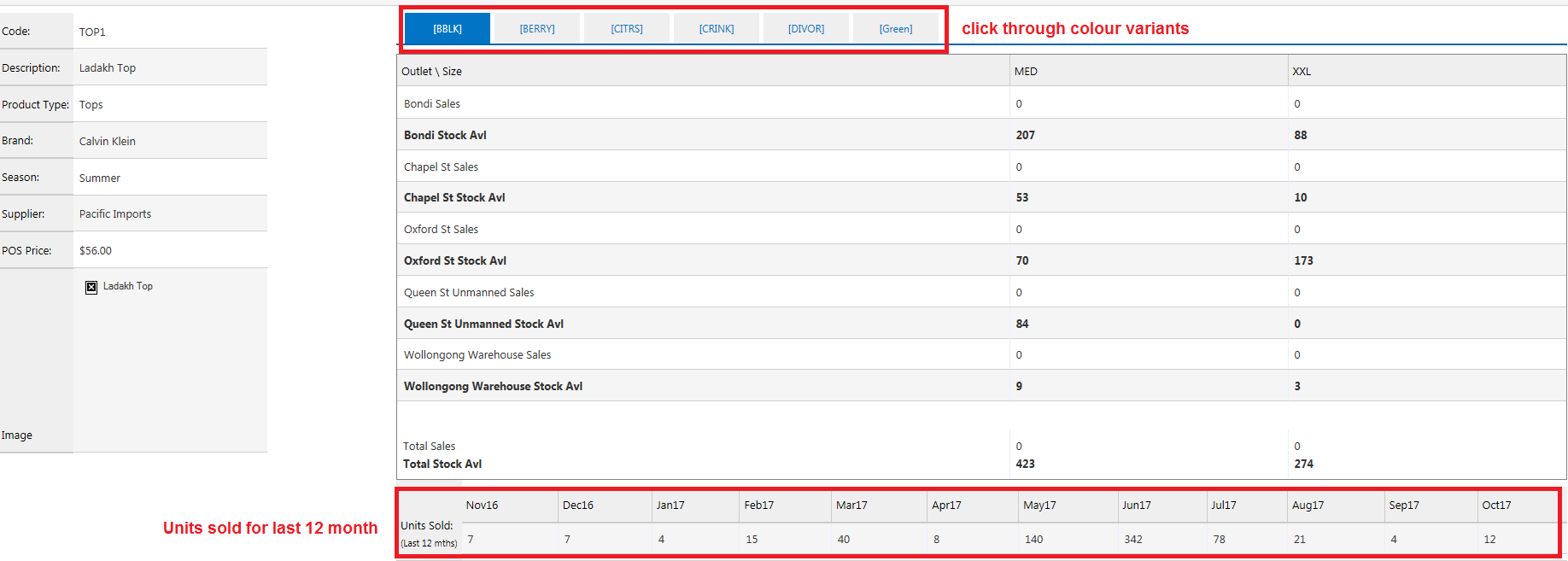 Click to view full size
 Click to view full size
 Click to view full size
Was this article helpful?
That’s Great!
Thank you for your feedback
Sorry! We couldn't be helpful
Thank you for your feedback
Feedback sent
We appreciate your effort and will try to fix the article